top of page

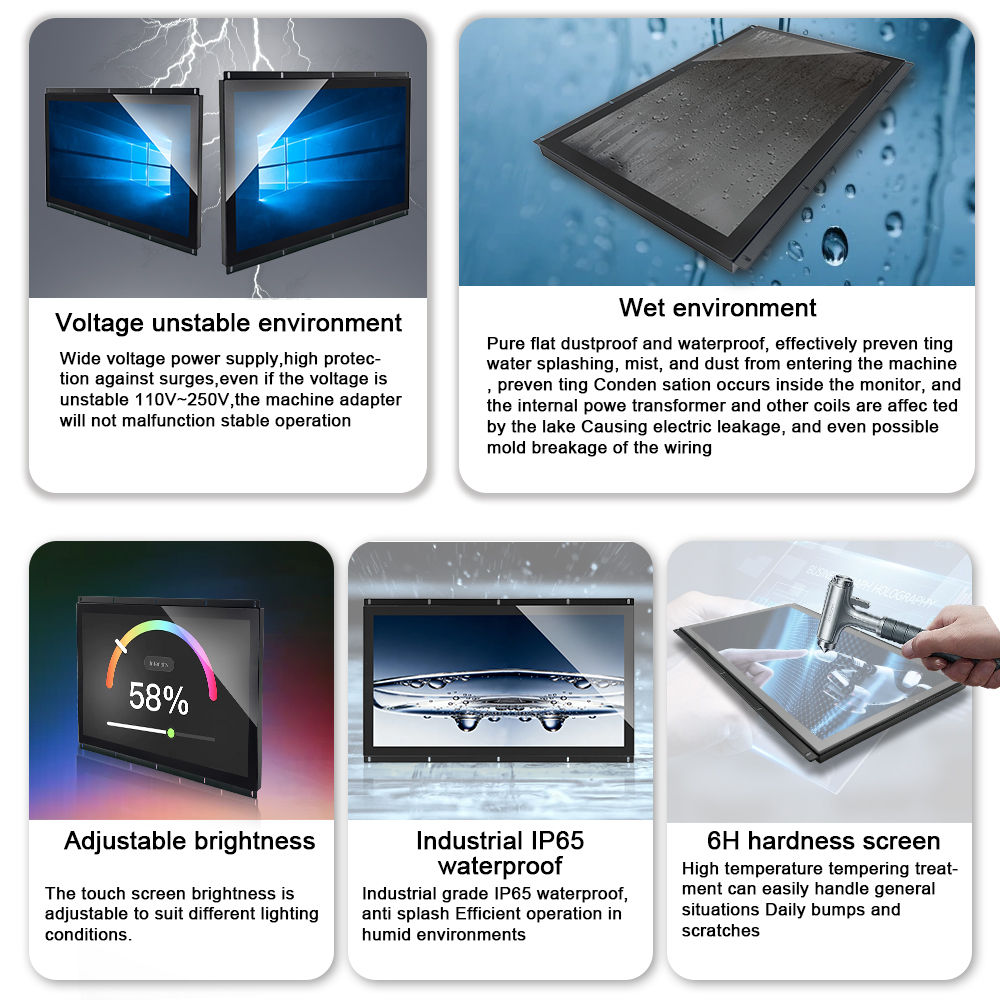
Introducing our latest industrial 12.1 inch manufacture capacitive open frame touch monitor, designed specifically for industrial applications. With 10 touch points, this monitor allows for precise and responsive touch input, making it perfect for interactive industrial environments. The eeti controller ensures smooth and accurate touch functionality, while the front IP65 waterproof and dust proof rating provides durability and reliability in harsh working conditions. Additionally, the outdoor IK10 rating ensures resistance to impact and vandalism, making it ideal for outdoor industrial use. Trust our open frame touch monitor to deliver high-performance touch functionality in even the most demanding industrial settings.

industrial 12.1 inch capacitive open frame touch monitor maufacture

SKU: 100000
$225.00Price
Quantity
  • Name 12.1 Inch open frame Touch Monitor
    Resolution Ratio 1024×768
    Angle of View 80/80/80/80 (L/R/U/D)
    Color 16.2M
    Brightness(Standard value) 450cd/㎡
    Contrast Ratio 700:1
    Response Time 25 ms
    Display P/N G121XN01 V0
    Display Area 245.76 * 184.32mm
    Pixel Pitch(mm) 0.24×0.24mm
    Type of touch screen Capacitive touch screen
    DPI 500 dpi
    Input Mode Handwrtten or capacitive pen
    Surface Hardness 7H
    Calibration Support
    Video Input PC-RGB:Format Up to 1920*1080@60HZ
    Video Input PC-RGB:Color 6bit,8bit,10bit,12bit
    Interface VGA/HDMI/DC
    Operating Temperature 0°C ~ 50 °C
    Storage Temperature -10 °C ~ 60 °C
    Humidity 10%-90% (Relative humidity without condensation)
    Life Time 30000h
    Power Consumption(Max) 20W
    Power Consumption (Standby) 1W
    Power Input AC 90-240V
    Power Output DC12V /24V
  • Installation Environment

    Install the monitor in a shaded, well-ventilated area away from direct long-term sunlight, heavy rain, snow, dust, and high-temperature/humidity environments. Avoid strong vibration and physical impact.

    Cleaning Guidelines

    • Power off and disconnect the power before cleaning.
    • Use a soft, lint-free microfiber cloth slightly dampened with water or 70% isopropyl alcohol.
    • Do not spray liquid directly onto the screen or housing; avoid chemical cleaners, corrosive liquids, or rough cloths.
    • Gently wipe the touchscreen and surface to remove dust, fingerprints, and dirt.

    Weather Protection

    • Ensure the monitor maintains its rated waterproof and dustproof level; do not use if the enclosure or seal is damaged.
    • In rainy or snowy conditions, regularly check for water accumulation or condensation; dry thoroughly before use.
    • In extreme cold or heat, allow the unit to stabilize at moderate temperature before powering on.

    Power & Cable Care

    • Use a stable, outdoor-rated power supply matching the product specifications.
    • Protect power and signal cables from sun exposure, water immersion, and physical wear.
    • Regularly inspect connectors for oxidation, looseness, or corrosion; keep them dry and tight.

    Touch Performance Maintenance

    • Do not press the screen with sharp objects, excessive force, or impact it.
    • If touch response is abnormal, re-calibrate following the user manual.
    • Avoid prolonged static display to prevent screen burn-in.

    Regular Inspection

    Periodically check the housing, mounting structure, heat dissipation, and cable condition. Repair or replace damaged parts in a timely manner to ensure safe and stable outdoor operation.
bottom of page