What are the names of touch screen devices
- Sep 29, 2025
- 3 min read
The integration of touch screen technology has revolutionized how we interact with digital information, leading to a vast ecosystem of devices that bear specific names based on their form, function, and primary use. These names help us categorize the wide array of interactive technology in our world.
Here is a detailed breakdown of the primary categories and names of touch screen devices.
1. Consumer Electronics and Mobile Devices
This is the category most people are familiar with, encompassing devices designed for personal communication, entertainment, and productivity.
Smartphones: The most ubiquitous touch screen device. These handheld computers feature a capacitive touch screen as their primary input method, integrating telephony, internet browsing, photography, and countless applications.
Tablets: Larger than smartphones, tablets like the Apple iPad, Samsung Galaxy Tab, and Microsoft Surface Pro offer a more expansive screen for media consumption, reading, gaming, and light creative work. They often support sophisticated styluses for note-taking and drawing.
E-Readers: Devices like the Kindle Paperwhite (in its newer versions) and Kobo Libra often incorporate touch screens to replace physical page-turn buttons, allowing users to tap or swipe to navigate books and menus.
Smartwatches and Fitness Trackers: Wearables like the Apple Watch, Samsung Galaxy Watch, and Fitbit devices use small, durable touch screens for checking notifications, tracking health metrics, and controlling music.
2. Computing and Hybrid Devices
This category includes devices that blend traditional computing with the intuitiveness of touch.
Laptops and 2-in-1 Convertibles: Many modern laptops, especially "2-in-1s," feature touch screens. These devices can often transform from a traditional laptop mode into a tablet mode, with the touch screen becoming the primary input method. Examples include the Microsoft Surface Laptop and Lenovo Yoga series.
All-in-One (AIO) PCs: Devices like the iMac (with optional touch screen in some markets) and many Windows-based AIOs from Dell, HP, and Lenovo integrate the computer internals into the back of a large touch screen display, reducing clutter and offering an interactive desktop experience.
External Touch Screen Monitors: These are standalone monitors that can be connected to a desktop computer or laptop to add touch functionality, effectively turning any system into a touch-enabled workstation.
3. Public and Commercial Interactive Systems
These are robust touch screen devices designed for public use, commerce, and information dissemination.
Kiosks: Interactive kiosks are found in numerous locations. Common examples include:
Point-of-Sale (POS) Systems: Modern cash registers in retail stores and restaurants.
Self-Service Check-in Kiosks: At airports and hotels.
Informational Kiosks: In museums, shopping malls, and hospitals to provide maps and directories.
Automated Teller Machines (ATMs): While traditionally using physical buttons, most modern ATMs now incorporate a touch screen for input, making the interface more flexible and intuitive.
Digital Signage: While often just for display, interactive digital signage allows users to touch the screen to access product information, browse catalogs, or play games.
4. Specialized and Industrial Equipment
In these fields, touch screens are valued for their durability, ease of sealing against dust/water, and streamlined interfaces.
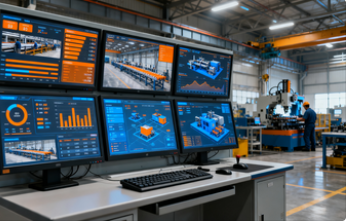
Industrial Human-Machine Interfaces (HMIs): These are rugged touch screen panels used in factories and control rooms to monitor and operate machinery, production lines, and industrial processes.
Medical Devices: Touch screens are integral to many modern medical instruments, including patient monitoring systems, diagnostic imaging displays (like ultrasound and MRI machines), and bedside terminals in hospitals.
Vehicle Systems:
In-Car Infotainment Systems: Nearly all modern cars feature a central touch screen for controlling navigation, climate, and entertainment.
Aircraft Cockpit Displays: Modern "glass cockpits" increasingly use touch screens to give pilots more efficient control over flight systems.
5. Other Notable Touch Screen Devices
Gaming Consoles: Handheld gaming devices like the Nintendo Switch and PlayStation Vita are fundamentally touch screen tablets designed for gaming. Furthermore, home consoles like the Xbox Series X|S and PlayStation 5 can be controlled via companion apps on touch screen devices.
Interactive Whiteboards: Large-format displays, such as SMART Boards, used in classrooms and boardrooms that allow users to write and manipulate content directly on the screen.
In conclusion, the name of a touch screen device is intrinsically linked to its purpose. From the smartphone in your pocket to the industrial HMI in a factory, the underlying technology is adapted to create specialized tools that have fundamentally changed how we work, learn, play, and access information.


