What is the different between a touch screen and a touch display?
- Dec 25, 2025
- 4 min read
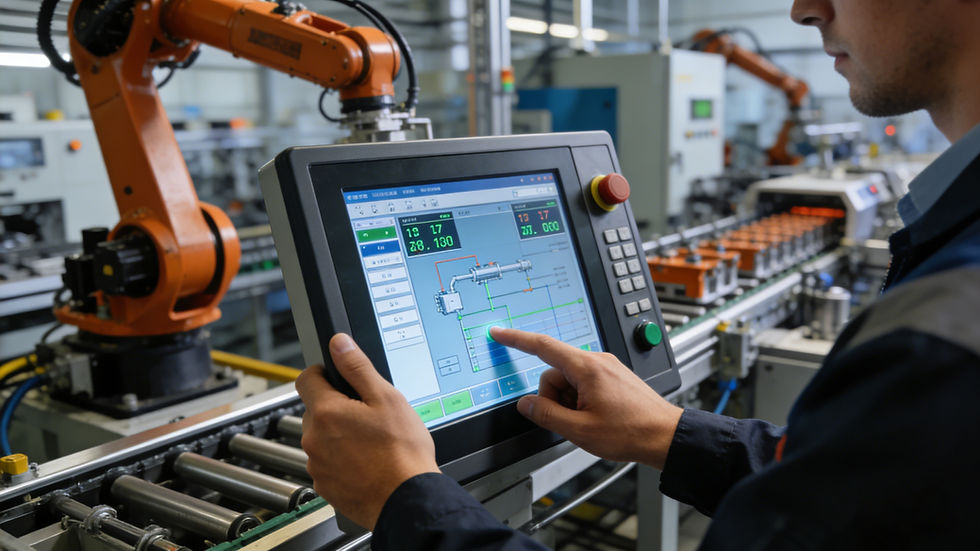
Though the terms "touch screen" and "touch display" are often used interchangeably in daily communication, they refer to distinct components (or integrated systems) with fundamental differences in structure, function, and application. Understanding their disparities is crucial for selecting the right device in industrial, commercial, or consumer scenarios. Below is a detailed breakdown of their differences, along with their inherent connections.
1. Definition and Core Nature
Touch Screen: A Pure Input Component
A touch screen, strictly speaking, is a sensory input device that detects and responds to physical touches (or near-touches) from fingers, styluses, or other objects. It does not possess the ability to display information independently. Its core function is to convert touch actions into electrical signals, which are then transmitted to a host (such as a computer, controller, or single-board machine) for processing. In short, a touch screen is merely a "touch-sensitive interface" that enables human-machine interaction through touch.
Common types of touch screens include resistive, capacitive, infrared, and surface acoustic wave (SAW) touch screens. Each type differs in sensing principle, accuracy, durability, and cost, but all share the same essence: they are input-only components.
Touch Display: An Integrated Input-Output System
A touch display is a complete integrated device that combines two core functions: displaying information and receiving touch input. It essentially integrates a touch screen (input component) with a display panel (output component, such as LCD, OLED, or AMOLED) into a single unit, often accompanied by supporting circuits, drivers, and housings. Unlike a standalone touch screen, a touch display can independently complete the entire process of "presenting information to users" and "collecting user touch operations."
In practical use, a touch display is a self-contained module that can be directly connected to a host or work independently (if equipped with a built-in processor), eliminating the need for separate assembly of a display and a touch screen.
2. Core Composition and Structural Differences
Touch Screen Composition
The structure of a touch screen is relatively simple, focusing on the touch-sensing layer and its supporting components. Typically, it includes:
Sensing layer: The core part that detects touch signals (e.g., resistive films for resistive touch screens, capacitive electrode layers for capacitive touch screens).
Controller: Converts analog touch signals into digital signals recognizable by the host and transmits them via interfaces such as USB or RS232.
Protective layer: A transparent layer (e.g., glass, PET) on the surface to enhance durability and scratch resistance.
Notably, a touch screen has no display panel, so it cannot show any content on its own. It must be paired with an external display to form a usable touch interaction system.
Touch Display Composition
A touch display is a more complex integrated system, combining the components of a touch screen and a display panel, plus additional integration accessories. Its typical composition includes:
Display panel: The output core that presents text, images, videos, and other information (e.g., LCD panel with backlight, self-illuminating OLED panel).
Touch screen module: Integrated on the surface of the display panel, responsible for touch input detection (same as the standalone touch screen mentioned above).
Integrated driver board: Unifies the driving of the display panel and the touch screen, simplifying interface connections (e.g., supporting HDMI, VGA for display signals and USB for touch signals).
Housing and heat dissipation structure: Ensures the stability and durability of the integrated device, especially in industrial environments.
3. Functional Differences and Application Scenarios
Touch Screen: Focus on Input, Dependent on Matching
As a standalone input component, the touch screen’s only function is to capture touch operations. It is often used in scenarios where existing displays need to be upgraded to touch-enabled interfaces. For example:
Industrial retrofitting: Adding a resistive touch screen to an old LCD monitor in a factory control room to realize touch operation of the control system.
Customized equipment: Matching with special display panels (e.g., high-temperature, high-brightness displays) in harsh environments (such as oil fields, steel plants) to form a touch interaction system.
Cost-sensitive projects: Choosing a standalone touch screen and a common display panel for separate assembly to reduce overall costs compared to purchasing an integrated touch display.
However, using a standalone touch screen requires additional assembly and debugging, and the compatibility between the touch screen and the display (e.g., size, resolution) must be considered to ensure normal operation.
Touch Display: Integrated Input-Output, Ready-to-Use
The touch display integrates input and output functions, featuring the advantages of compact structure, easy installation, and stable performance. It is widely used in scenarios that require one-stop human-machine interaction. Typical application scenarios include:
Industrial control: Human-machine interfaces (HMIs) on assembly lines, CNC machines, and monitoring consoles, where operators can directly touch the display to adjust parameters and view data.
Commercial terminals: Self-service cash registers in supermarkets, self-service ticketing machines in stations, and information inquiry terminals in malls, which require both information display and user operation.
Consumer electronics: Tablets, smart phones, and touch-enabled laptops, where the touch display is the core human-machine interaction interface.
Medical equipment: Touch displays on ultrasound machines, patient monitors, and medical workstations, which need high-precision touch input and clear information display.
In these scenarios, the touch display simplifies the equipment structure, reduces installation and maintenance costs, and improves the reliability of the entire system.
4. Touch Screen is a Component of Touch Display
It is important to clarify that the two are not mutually exclusive, but rather have a "component vs. system" relationship. A touch display cannot exist without a touch screen—its touch function is entirely dependent on the integrated touch screen module. Conversely, a standalone touch screen can only exert its value when paired with a display panel.
In other words, a touch display is a "combination product" that takes a touch screen as one of its core components and integrates it with a display panel and supporting structures. The difference lies in whether they are standalone components or integrated systems.
Conclusion
The core difference between a touch screen and a touch display lies in their nature and functional scope: a touch screen is a pure input component that requires matching with an external display to work, while a touch display is an integrated input-output system that can be used independently. When selecting between them, one should consider factors such as application scenarios, cost budget, installation requirements, and environmental adaptability. For scenarios requiring quick deployment and stable performance, touch displays are preferred; for customized retrofitting or cost-sensitive projects, standalone touch screens paired with displays may be a more suitable choice.


